

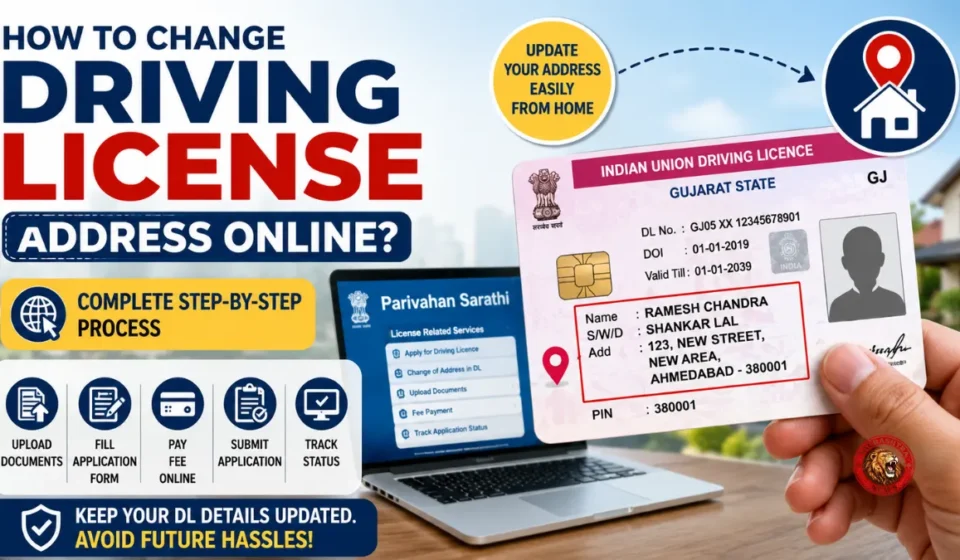

If you have recently moved to a new home, updating the address on your Driving license is an important task that should not be ignored. Your driving licence is an official identity and vehicle-related document, so keeping the address updated can help avoid problems when you need to use it for verification, documentation or other official purposes.
Many people postpone changing their driving licence address because they assume they will have to visit an RTO office, stand in long queues and spend an entire day completing the process. However, depending on the service and your state, you may be able to submit a Driving license address change application online using the Parivahan Sarathi portal.
The process is relatively straightforward, but applicants should keep the required documents ready and enter all details carefully before submitting the application.
Documents Required for Driving License Address Change
Before starting the online application, make sure you have the necessary documents available in the required digital format. The documents that may be requested include:
- A scanned copy of your existing Driving license
- Proof of your new address, such as Aadhaar Card, Passport, Voter ID, Ration Card or an accepted utility bill
- Identity proof, such as PAN Card, Passport or Voter ID
- A recent and clear photograph
- A digital copy of your signature made on white paper
- Any additional document or form requested during the application process
The exact documents and requirements can vary depending on the service available for your licence and the concerned RTO. Therefore, it is advisable to check the requirements displayed on the portal while submitting the application.
How to Change Driving License Address Online
Applicants can use the Parivahan Sarathi portal to check whether the address-change service is available for their Driving license.
First, open the Parivahan Sarathi portal using a browser on your mobile phone, computer or laptop. Select the option related to Driving Licence Services and proceed with the application.
You will generally need to enter your existing Driving license number along with your date of birth. After entering these details, check the licence information shown on the screen and proceed with the available services.
If required, select the appropriate RTO associated with your new address. Where the facility is available, you may also be offered an Aadhaar-based e-KYC option.
From the list of services, select the option for Change of Address in Driving Licence. Enter your new residential address carefully and make sure there are no spelling or other data-entry mistakes.
The next step is to upload the required address proof and other documents requested by the system. Depending on the application requirements, you may also need to upload your photograph and digital signature.
After checking all the information, pay the applicable online fee through the available payment option. Once the payment and application submission are completed, save the receipt or acknowledgement generated by the portal.
This acknowledgement can be useful for keeping a record of your application and, where tracking is available, checking the status of your request later.
What If You Move to Another State?
The process can be different if your new address is located in another state. In such cases, additional formalities may be required, and an NOC (No Objection Certificate) from the previous RTO may be necessary.
If an NOC is required, applicants can check the relevant service on the Parivahan Sarathi portal. You may need to provide details such as your existing Driving license number, date of birth, previous state and concerned RTO.
After entering the required information, select the Issue of NOC service, where available. Submit the requested details and supporting documents and pay the applicable fee.
The previous RTO may then verify the application. Once the required process is completed, the NOC may be issued. Keep a copy of the NOC and the application/payment acknowledgement safely because these documents may be required when applying through the RTO in your new state.
How to Update the Driving License Address in the New State
After receiving the required NOC from the previous RTO, you can proceed with the Driving license address-update process in the new state.
Visit the Parivahan Sarathi portal and select the appropriate Driving Licence-related service. Enter your Driving license number and date of birth as requested.
If the application asks for details of the previous RTO’s NOC, enter the NOC number and date correctly. You will then need to provide your new address and upload valid proof supporting the address.
The NOC issued by the previous RTO may also have to be submitted along with other required documents. After completing the application, pay the applicable fee and submit the request.
The concerned authority will examine the application and documents. If the application is approved, the Driving license record can be updated with the new address, and the updated licence may be delivered to the address provided in the application, subject to the applicable process.
Check All Details Before Submitting the Application
While applying for a Driving license address change online, applicants should pay particular attention to the new address, date of birth, licence number and uploaded documents. A small mistake in the application can result in delays or the need to correct the submitted information.
It is also important to keep copies of the payment receipt, acknowledgement, NOC and other submitted documents until the address-change process is fully completed.
Driving License Address Change: What Applicants Should Remember
Changing the address on a Driving license after moving to a new home is an important documentation update. In many cases, the application can be started online, reducing the need for an unnecessary visit to an RTO office.
However, the availability of online services, required documents, fees, verification requirements and procedures can differ depending on the state, RTO and individual application. Applicants should therefore follow the instructions displayed on the official Parivahan Sarathi portal during the application process.
For a move within the same state, the process may be relatively simple if the online address-change facility is available. For an interstate move, additional steps such as obtaining an NOC from the previous RTO may apply.
Keeping the Driving license address updated ensures that your official licence information remains current and can make future verification and documentation processes easier.
Also read: Gujarat BLO Special Allowance: BLOs and Supervisors to Get Up to ₹6,000